3D chess can mean normal chess on a 3D-looking board, or a game played across several levels. For a normal game, start with SparkChess or Lichess. For the stacked-board variants, learn Raumschach or Star Trek chess below.
A rotating view changes how you see the board. A multi-level variant changes where the pieces can move. They are different games.
3D chess rules: a 3D board keeps normal chess moves
On a normal 3D chess board, you play the same game as on a flat board: White goes first, players alternate, and checkmate wins. The pieces look solid, but every move stays on the same 64 squares.
Rooks, bishops and queens. Rooks travel along ranks or files, bishops along diagonals, and queens do both. They cannot jump over another piece.
Knights and kings. A knight jumps in an L: two squares one way, one sideways. A king steps one square and cannot move into check.
Pawns and special moves. Pawns move forward and capture diagonally. Castling, promotion and en passant keep their normal rules; rotating the camera changes none of them.
1. The same opening move: e2 to e4
At the start, White can move the e-pawn two squares because it has not moved and both e3 and e4 are empty. Here is that move from above. A 3D camera shows the same position from an angle; it does not add another destination.
Before: White to move
The e-pawn starts on e2. The highlighted path is clear.
After: 1. e4
The pawn is on e4. Black moves next. No piece has changed levels.
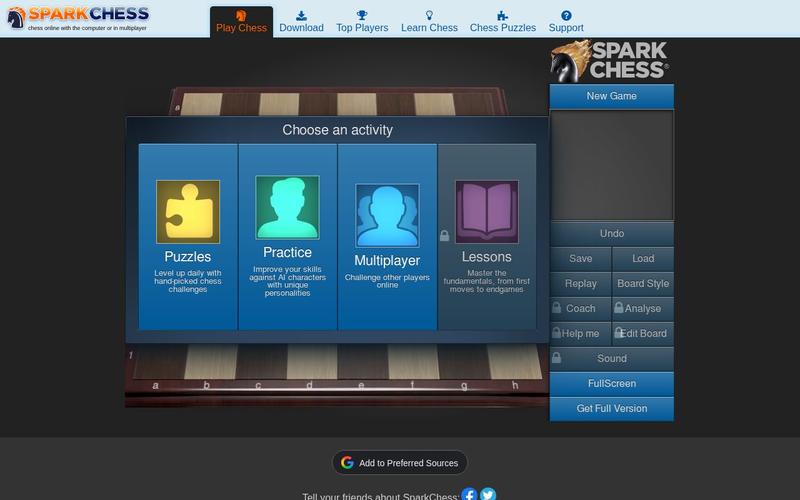
A 3D board against the computerSparkChesssparkchess.comStart a computer game and choose Board Style for fixed or rotating 3D views.Visit
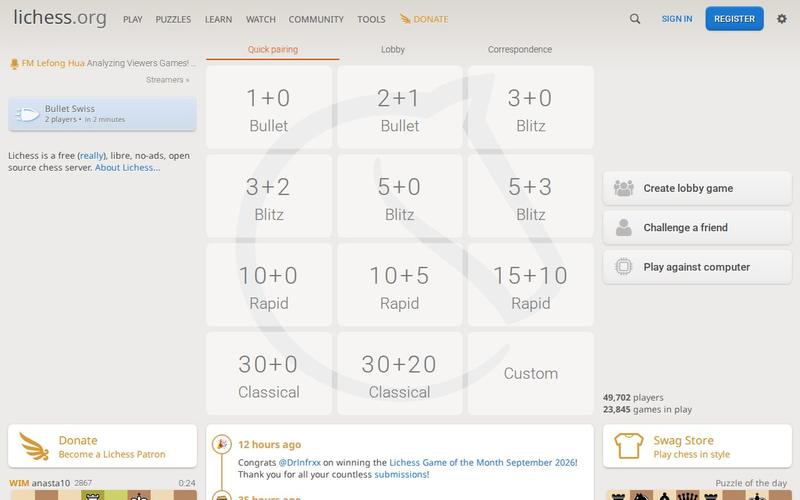
Free play with no adsLichesslichess.orgChoose Board geometry → 3D in the web menu, then a computer or human opponent.Visit
Your friends use Chess.comChess.comchess.comKeep your normal games and select a 3D piece style in Board & Pieces settings.Visit
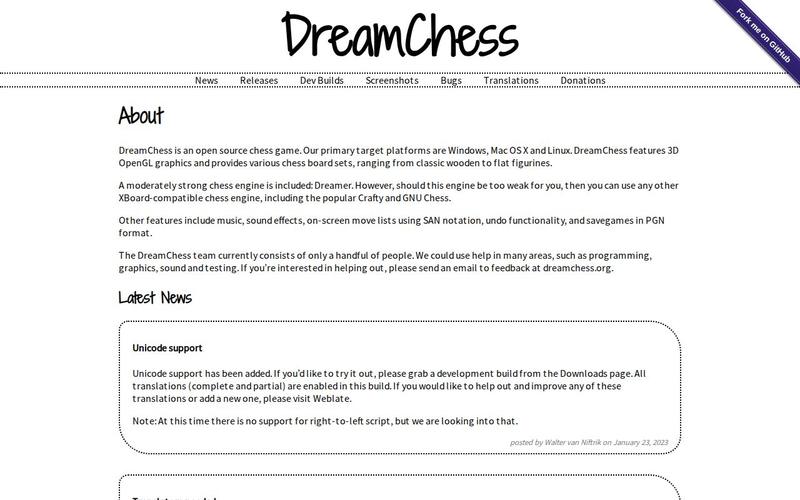
A 3D game to downloadDreamChessdreamchess.orgInstall a desktop game with 3D boards and the included Dreamer computer opponent.Visit
Compare 3D chess sites and downloads
Four ways to play normal chess on a 3D board, compared on sign-up, download, cost and opponents, as of Nov 20, 2026. For Raumschach and Star Trek chess, see the sections below.
Raumschach uses five 5×5 boards stacked into a cube: 125 cells, with levels A at the bottom through E at the top. Pieces really can travel between levels. Cc3 means level C, file c, rank 3.
White starts on levels A and B, Black on D and E; C starts empty. Each side has a king, queen, two rooks, two bishops, two knights, two unicorns and ten pawns. White moves first. Checkmate wins, and a king cannot move into attack.
For the tutorial's starting array, read each row from file a to e. Level A, rank 1: R N K N R; rank 2: five White pawns. Level B, rank 1: B U Q B U; rank 2: five White pawns. Level D, rank 5: U B Q U B; rank 4: five Black pawns. Level E, rank 5: R N K N R; rank 4: five Black pawns. All other cells start empty. N means knight, B bishop, U unicorn.
Think in coordinates. A rook changes one coordinate. A bishop changes two by equal amounts. A unicorn changes all three by equal amounts. The queen combines them, the king takes one such step, and a knight jumps two along one axis and one along another. Sliding pieces still cannot jump blockers.
Pawn conventions need agreement. The federation tutorial used here lets White move one rank forward or one level up into an empty cell, and capture on its five forward/upward diagonals; Black reverses those directions. White promotes on rank 5 of level E, Black on rank 1 of A. There is no opening double-step, en passant or castling in this convention. Check your game's pawn rules before starting.
2. A rook goes straight up: Cc3 to Ec3
Only the level changes: C → D → E. With Dc3 empty, the rook can travel from Cc3 to Ec3. A piece at Dc3 would block it. These two views show the departure and arrival levels, not two different rooks.
Before: level C
The rook is at Cc3. The same square on level D must be empty.
After: level E
The rook lands on Ec3. File c and rank 3 stay the same.
3. A unicorn changes all three coordinates
U marks the unicorn. From Bb2 it can slide through Cc3 to Dd4 if the path is clear. Level, file and rank each advance twice. This is a geometric teaching position, not a claim that an opening unicorn can reach every cell.
Before: level B
Bb2 is the start. Cc3 is the intermediate cell and must be clear.
After: level D
Dd4 is two levels higher, two files right and two ranks forward.
4. A pawn captures upward: Cc3 takes Dd3
Under the tutorial's pawn convention, a White pawn on Cc3 can capture a Black piece on Dd3: one level up and one file right. It cannot make this diagonal move to an empty cell. Without a capture, its choices are Cc4 or Dc3, if empty.
Before: level C
The White pawn starts at Cc3. A Black knight occupies Dd3 on the next level.
Before: level D
The Black knight on Dd3 is the capture target.
After the capture: level C
The White pawn has left Cc3.
After the capture: level D
The White pawn replaces the Black knight at Dd3; rank 3 has not changed.
Star Trek tri-dimensional chess uses three fixed 4×4 boards and four movable 2×2 attack boards. It is not Raumschach. Choose a published ruleset with your opponent: Roth's clarified Federation Standard 5.0 and Meder's tournament rules differ.
In Roth's version, look down through the boards: a piece follows its normal horizontal pattern and can finish on another level. It cannot move only vertically. Follow the highest available path between start and finish, ignoring boards above the higher endpoint. An attack board immediately above the higher main board can supply an alternative highest path; sliders cannot ignore a piece blocking the chosen path.
Instead of moving a piece, Roth lets you move an attack board you own when it is empty or carries only one of your pawns. You must still have a pawn somewhere. It moves along its file between permitted posts, or inverts. Meder instead permits a board carrying at most one piece and uses adjacent-pin moves. Don't mix those rules.
Special moves also depend on the version. Meder keeps the opening pawn double-step and immediate en passant, but a pawn carried by an attack board loses its double-step. Promotion depends on the farthest available rank for that file. Kingside castling swaps king and rook; queenside moves the king beside the rook and the rook to the king's old square. Neither piece can have moved, the route must be clear, and the king must be safe. Checkmate wins; stalemate is a draw.
5. A Star Trek rook changes rank and level
Roth's empty-board example permits b5(4) → b6(6): same file, one rank forward, higher board. It forbids b5(4) → b5(6), which would change height alone. Below are the two main-board levels involved; other boards are omitted.
Before: middle board, elevation 4
Rook at b5(4). Parentheses name the elevation, not a move number.
After: upper board, elevation 6
Rook at b6(6). The move changes horizontal position as well as height.
3D chess strategy: play the position, then check every level
For ordinary chess in a 3D view, normal chess strategy applies. NM Dane Mattson teaches center control, quick development, king safety and checking the opponent's threats. A new camera angle does not change which moves are good.
Normal chess: develop before attacking. Bring knights and bishops into play, fight for central squares and get your king safe. Before moving, look for the opponent's checks, captures and threats. Use an overhead view if a piece hides another square.
Raumschach: include height in every threat check. Apply the move rules to all three coordinates. A rook can attack straight through levels; a unicorn can attack along a space diagonal. Before calling a square safe, inspect the other levels, not just the king's board. This is a practical consequence of the movement rules.
Star Trek: examine the board move too. Roth recommends looking down through the boards and warns about fast pawn advances carried by attack boards. Check both a piece move and a legal board move before deciding what the opponent threatens.
SparkChess is the direct browser choice for a normal game on a 3D board against the computer. Lichess also combines computer play with its web 3D view. DreamChess is the desktop choice when you want a downloaded game and the bundled Dreamer engine.
Choose the opponent and the board style separately: a game mode called 3D does not tell you how strong the computer is. Start at a level that gives you time to think, and raise it when you can explain why you lost. These ordinary chess engines are not Raumschach or Star Trek opponents.
For a phone browser, SparkChess lists support for Android Chrome and iPhone Safari. On Lichess, use the website for the 3D board setting. Chess.com's Real 3D option is website-only; its phone apps use their own theme settings.
For a desktop download, DreamChess targets Windows, macOS and Linux. Check the release's system requirements before installing. A browser game and an offline download are different choices: opening a website once does not establish that it will reload without internet.
The name covers two things: ordinary chess drawn with solid-looking pieces, and variants whose pieces move between levels. SparkChess and a Lichess 3D setting belong to the first group. Raumschach and Star Trek tri-dimensional chess belong to the second.
How do you play 3D chess?
On a normal 3D board, move exactly as in ordinary chess; the camera changes, the rules do not. On a multi-level board, first choose the variant. Raumschach adds movement through a cube. Star Trek chess uses overlapping boards and movable attack boards under a chosen ruleset.
Can I play 3D chess online for free?
Yes. SparkChess offers free web play with ads and paid extras. Lichess is free with no ads and has a 3D web-board setting. Free basic play on a site does not mean every 3D style, theme or extra is included.
Can I play 3D chess against the computer?
Yes. SparkChess and Lichess offer ordinary chess against the computer with 3D board choices. DreamChess includes the Dreamer engine in a desktop download. Those modes do not turn the computer into a multi-level-variant opponent.
Can two people play 3D chess online?
Yes. SparkChess offers online multiplayer and Link Invite. Lichess offers friend challenges. Each person controls how the board looks on their own device; choosing a 3D view does not require the opponent to use it too.
Can I play 3D chess on my phone?
SparkChess supports Android Chrome and iPhone Safari. Use the Lichess website for its web 3D setting. An app's ordinary chess support does not establish that it includes the same 3D view: Chess.com's Real 3D mode is website-only.
Is Star Trek 3D chess real?
Yes. Published rules make the familiar stacked board playable. Roth's clarified Federation Standard 5.0 and Meder's tournament rules are two examples. Agree which version to use, especially for attack-board movement and blocking; they are not identical.
What is Raumschach?
Raumschach is chess on five stacked 5×5 boards, forming 125 cells. Its extra piece, the unicorn, moves along a space diagonal, changing level, file and rank together. Other pieces also gain cross-level moves. Pawn conventions differ between implementations, so read the chosen game's rules.
Can I download 3D chess for a PC?
DreamChess is a free desktop 3D chess program for Windows, macOS and Linux, with a bundled computer engine. Check the current release and system requirements on its site. A desktop download is a separate choice from playing in a web browser.
Is 4D chess the same as 3D chess?
No. A 3D-rendered chessboard is ordinary chess shown from an angle. A true 3D variant adds spatial levels. The phrase 4D chess can name higher-dimensional games or be a metaphor for elaborate planning; it is not another name for the Raumschach or Star Trek rules explained here.